
Label Created but Not Shipped: Why Parcels Stall Before First Scan


 Copy Link
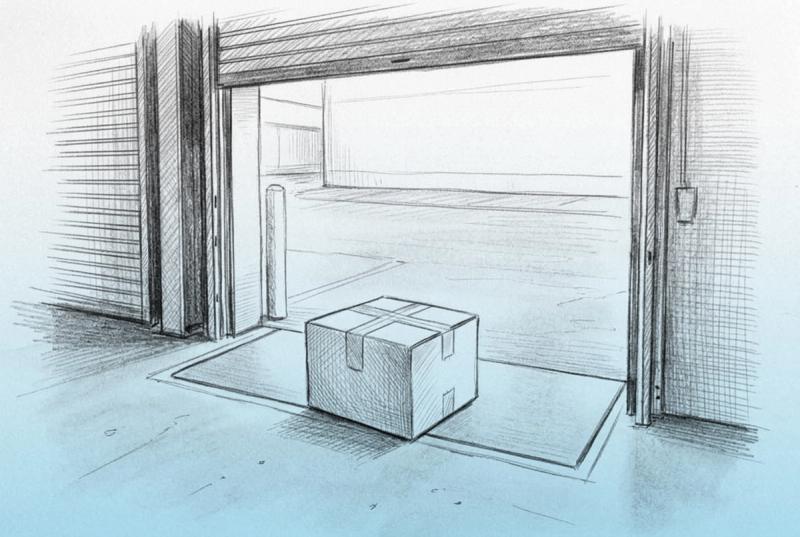
"Label created but not shipped" is the gap where a merchant has printed and paid for a shipping label, but the carrier has not yet recorded an acceptance scan. The order looks fulfilled in your store, yet the parcel is still sitting with you, your warehouse, or your 3PL.
That gap is where shoppers stop trusting you. I'm Jevon Le Roux, founder of Keeyu, which builds proactive e-commerce operations software. Every order is a promise. Keeyu keeps it. This guide is the merchant's side of the status. It covers the causes, how long to wait, how to catch it across every order, and how to stop it.
It is not a guide to what fulfilled, shipped and delivered mean in your platform. Our explainer on what order fulfilled means versus shipped covers that. Here we stay with one failure: a label that exists and a parcel that has not moved.
How to explain "label created" to a worried shopper
A shopper who sees "label created" days after a dispatch email reads it one way: you have not sent it. As reported by JiaroPack, the status means the label is ready but the carrier has not yet collected the item, and tracking will not update until it does.
My take is simple. A label created and never scanned becomes the day-three panic email. The shopper is not wrong to worry, because the parcel genuinely has not entered the network.
Say what is true, then what happens next
Do not tell the shopper "it has shipped" if no carrier has it. Tell them where it is, what you are doing, and when they will see movement. A useful reply has three parts:
- What the status means: the label is printed, and the carrier has not scanned it yet.
- What you checked: the warehouse, the pickup, or the drop-off.
- When the next update arrives: a specific day, not "soon".
Here is a short version you can adapt:
"Your order is packed and labeled, but the carrier has not scanned it into their network yet. I've asked our warehouse to confirm handover today. You'll see tracking move by Thursday, and I'll email you if it doesn't."
For more wording you can reuse, see our examples on how to inform a customer about a delivery delay.
Tell them before they ask
The best version of this message goes out before the shopper checks tracking. If you already know a batch missed pickup, a short proactive note costs you one email. Waiting for the ticket costs you the email plus the trust.
Why the carrier never recorded an acceptance scan
The core failure looks the same every time. The warehouse prints the label, the shopper gets the dispatch email, but the carrier never scans. Underneath, the cause is usually one of a handful of handover problems.
What the status means at USPS, UPS and FedEx
Each carrier words it differently, but the meaning for a merchant is the same: the carrier has electronic data for a label and no physical parcel yet. As reported by JiaroPack, USPS tracking can read "Pre-Shipment, Shipping Label Created, USPS Awaiting Item" in this state. The same source notes UPS and FedEx use "label created" wording for this pre-pickup stage too.
The common causes
Cause | What happened | Where to look |
|---|---|---|
No handover | Parcel never left the warehouse or 3PL | Dock or 3PL outbound log |
Missed pickup | Pickup skipped or not booked | Pickup confirmation |
Bulk drop | Bin or cage unscanned until the hub | First event location |
Batch printing | Labels printed before pick and pack | Print time versus pack time |
Void or reprint | Shopper holds the dead tracking number | Label history on the order |
Early write-back | Tracking sent before handover | Fulfillment timestamp |
Two of these deserve a closer look. With bulk drops, USPS's own field information kit says scanning a SCAN form is the only way to ensure every item tendered gets an acceptance event. Without one, a parcel can be moving and still show nothing until a later scan. Early write-back is the quiet one. Your platform marks the order fulfilled the moment tracking arrives, whether or not anything left the building.
Order shipped but no tracking usually means one of three things. A label was created and the carrier never scanned it, the parcel moved once and went dark, or tracking never reached the storefront. Only the first belongs on this page.
How long a label can sit before it hurts your shipping promise
A label with no acceptance scan is a promise you are already late on, even if no clock has flagged it yet. Status lies delay detection, and "fulfilled" is the status that lies here.
The legal and marketplace clock
In the US, the FTC's Mail, Internet, or Telephone Order Merchandise Rule says you must ship within the time you state. With no stated time, the limit is 30 days. If you cannot meet it, you must tell the buyer and offer the option to cancel for a refund.
If you sell on a marketplace, read how it counts a shipment as on time before you assume a printed label protects you. A label alone proves you bought postage, not that a carrier has the parcel.
Pick a threshold, not a feeling
You should set a threshold for how long a parcel sits without a scan rather than waiting for a complaint. For most merchants shipping from a dock or a 3PL, a practical threshold is this: flag any order with no acceptance event by the end of the next business day after printing.
USPS gives you a useful benchmark. Its field guide says a SCAN form must be printed in time for that day's mailstream and closes automatically at midnight. So a USPS handover made with a SCAN form should show acceptance on the day you ship.
How to detect it across every order
Checking orders one at a time does not scale. Pull every order with a label but no carrier acceptance event. Then cohort them by cause instead of chasing them one by one.
Signature | Likely cause | First action |
|---|---|---|
Whole batch, one dock | Missed pickup | Call the pickup or 3PL |
Single orders, mixed times | Picked late or lost on the floor | Locate the parcel |
Two labels, one order | Void or reprint | Send the live tracking number |
Fulfilled before pack time | Early write-back | Fix the integration trigger |
Every order is a promise. Keeyu keeps it. The point of a threshold is that you find the stalled batch before the shopper does.
Once a parcel does have a first scan and then stops, it is a different problem with a different clock. Our guide to lost in transit packages and carrier claims picks up from there.
How to close the gap between printing a label and the first scan
Prevention is mostly about making the handover leave a record. These five fixes come first.
Print at pack, not in a morning batch
Batch printing hundreds of labels at 8 a.m. creates hundreds of "label created" statuses before a single parcel is packed. If anything stalls on the floor, every one of those shoppers already has a dispatch email. Printing at the pack station ties the label to a packed parcel.
Use an end-of-day manifest or USPS SCAN form
USPS calls this the Shipment Confirmation Acceptance Notice, PS Form 5630. It links every package in a shipment to one barcode. When a postal employee scans it, every package receives an acceptance event.
That fixes the bulk drop problem directly. The same USPS field kit says scanning the form is the only way to ensure every item tendered gets that acceptance event. It also asks for one form per day.
USPS mailing standards in DMM 503, section 1.7.4 also let a mailer obtain an electronic entry scan by presenting Form 5630 or Form 3152 with the mailing. UPS and FedEx shippers should use their own end-of-day close in their shipping software.
Confirm the pickup, every day
USPS lets you schedule a carrier pickup for free during regular mail delivery, with a paid Pickup On Demand option for a set time. Whatever the carrier, record who collected the parcels and when. A pickup that never came should show up in your data that afternoon, not in your inbox on day three.
Make the 3PL send a handover feed
If a 3PL ships for you, ask for a handover record per order, not just a tracking number. The tracking number arrives when the label prints. The handover record arrives when a carrier takes the parcel. Your fulfillment trigger should wait for the second one.
Watch the tracking write-back
Tracking write-back gaps are one of the four sync failures I tell operators to monitor. The other three are paid orders missing from the ERP past a set age, creates stuck in flight, and status orphans. Cohort them by signature rather than chasing orders one at a time.
Where proactive operations fits
Most post-purchase tools show you a tracking page. They are not designed to detect an order that never pushed through or is held up before the carrier. Paying to answer tickets forever is paying for late sensors.
Proactive e-commerce operations flips the order. You detect the stalled label first, fix the handover, and tell the shopper before they ask. The goal is the same for every order: Keeyu gets shoppers what they want, on time, as promised. For the wider model, read our guide to proactive e-commerce operations.
If you want to see how that works on your own order data, book a Keeyu demo.
Every order is a promise. Keeyu keeps it.
Frequently Asked Questions
What does label created but not shipped mean for a merchant?
It means you have printed and paid for a shipping label, but the carrier has not scanned the parcel into its network. The order may show as fulfilled and the shopper may have a dispatch email, yet the parcel is still with you, your warehouse, or your 3PL. Treat it as a handover problem until a scan proves otherwise.
How long can a package stay at label created?
There is no single carrier rule, so set your own threshold. A practical one is to flag any order with no acceptance scan by the end of the next business day after printing. USPS SCAN forms close at midnight for that day's mailstream, so a healthy USPS handover usually shows acceptance the same day.
Why does USPS show label created when I dropped the package off?
USPS says scanning a SCAN form is the only way to ensure every item tendered gets an acceptance event. A drop without one can show nothing until a later facility scan. Presenting PS Form 5630 with the drop lets one barcode scan give every package an acceptance event, which removes most of this confusion for shoppers.
What should I tell a shopper whose order says label created?
Tell them the truth: the label is printed and the carrier has not scanned it yet. Say what you checked and give a specific day for the next update. Our delivery delay message examples include wording you can adapt for this case and send before the shopper writes in.
Does a printed label count as shipped?
Not to the shopper, and not necessarily to a marketplace. A label proves you bought postage, not that a carrier has the parcel. Your store may still mark the order fulfilled when tracking is written back. Our explainer on what order fulfilled means covers how those statuses differ across platforms.
How do I stop orders being marked fulfilled before handover?
Change the trigger. Print labels at pack, not in a morning batch, and fulfill the order only when your warehouse or 3PL confirms carrier handover. Use an end-of-day manifest or SCAN form so every parcel gets an acceptance event. Then monitor tracking write-back so a gap shows up as a cohort, not a complaint.
What if the parcel scanned once and then stopped?
That is a different problem. Once the carrier has accepted the parcel, the question becomes how long it can go without a new scan before you call it lost and file a claim. Our guide to lost in transit packages covers that clock and the claim process for each carrier.
References
- 1. JiaroPack, "Shipping Label Created Package Status Explained", https://jiaropack.com/blogs/jiaropack-blog/shipping-label-created-package-status-explained. As reported: label created means the carrier has not collected the item; USPS "Pre-Shipment, Shipping Label Created, USPS Awaiting Item" wording.
- 2. United States Postal Service, Postal Bulletin 22239, "PS Form 5630, Shipment Confirmation Acceptance Notice", https://about.usps.com/postal-bulletin/2008/html/pb22239/html/updt1_012.html. One barcode links all packages in a shipment; one scan gives every package an acceptance event.
- 3. United States Postal Service, Postal Bulletin 22192, "Field Information Kit: Shipment Confirmation Acceptance Notice (SCAN)", https://about.usps.com/postal-bulletin/2006/html/pb22192/pb6ktxt.html. Form closes at midnight for that day's mailstream; scanning it is the only way to ensure every item gets the acceptance event; one form per day.
- 4. United States Postal Service, "Domestic Mail Manual 503 Extra Services", https://pe.usps.com/text/dmm300/503.htm. Section 1.7.4: electronic entry scan by presenting Form 3152 or Form 5630 with the mailing.
- 5. United States Postal Service, "Schedule a Pickup", https://tools.usps.com/schedule-pickup-steps.htm. Free pickup during regular mail delivery; paid Pickup On Demand for a set time.
- 6. Federal Trade Commission, "Business Guide to the FTC's Mail, Internet, or Telephone Order Merchandise Rule", https://www.ftc.gov/business-guidance/resources/business-guide-ftcs-mail-internet-or-telephone-order-merchandise-rule. Ship within the stated time or 30 days; notify the buyer of delays and offer cancellation with a refund.
Keep the promise.
See how Keeyu catches and fixes post-purchase issues before customers notice.
In one call, we’ll map your operations and show how Keeyu detects issues, decides what needs to happen, and takes action across your existing systems.
We’ll confirm your integration requirements and rollout plan during the demo.
